TABLE OF CONTENTS
Pricing report
The Pricing Report in Source (First AML's self-service platform) gives you visibility into the costs and units used within your cases. It provides real-time insights, a clear pricing breakdown, and simple navigation.
Before you start: the Pricing Report is available to Compliance Admins only. You'll find it under Reporting.
A "unit" is the measure First AML uses to charge for the checks run on a case (for example, one screening check or one electronic verification consumes a unit). Depending on your contract, units are drawn from three pools:
- Included units: units covered as part of your base plan.
- Bundle units: a pre-purchased pool of additional units.
- Overage units: units used beyond your included and bundle allowance, billed separately.
What the pricing report shows
Real-time reporting
Pricing and usage information updates in near real time. This allows you to track costs per case as they approach completion.
Clear pricing breakdown
- Units are allocated correctly within bundles.
- The report separates included units, bundle units, and overage units.
- Your current bundle or pricing plan is highlighted so you can quickly see where you stand.
- Contract period details are displayed to avoid confusion across years.
Easy navigation and filtering
- A search function for Case ID allows quick checks on costs (especially useful for law firm disbursement workflows).
- Sorting in pivot table columns lets you organise your data as expected.
- Free units are hidden if your contract does not include them, reducing clutter.
Clear design and visibility
- A timestamp shows when the pricing report was last synced, so you know you are looking at up-to-date information.
- The redesigned grid makes it easy to see cost breakdowns across included, bundle, and overage units.
Using the pricing report
At the top of the report, you will see:
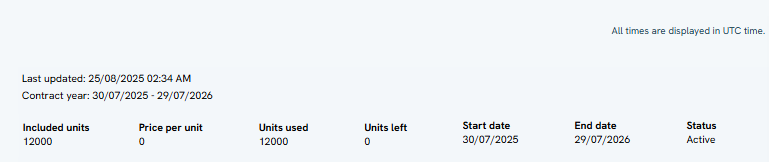
- Total Fixed Units Contracts
- Price Per Fixed Unit
- Fixed Units Left
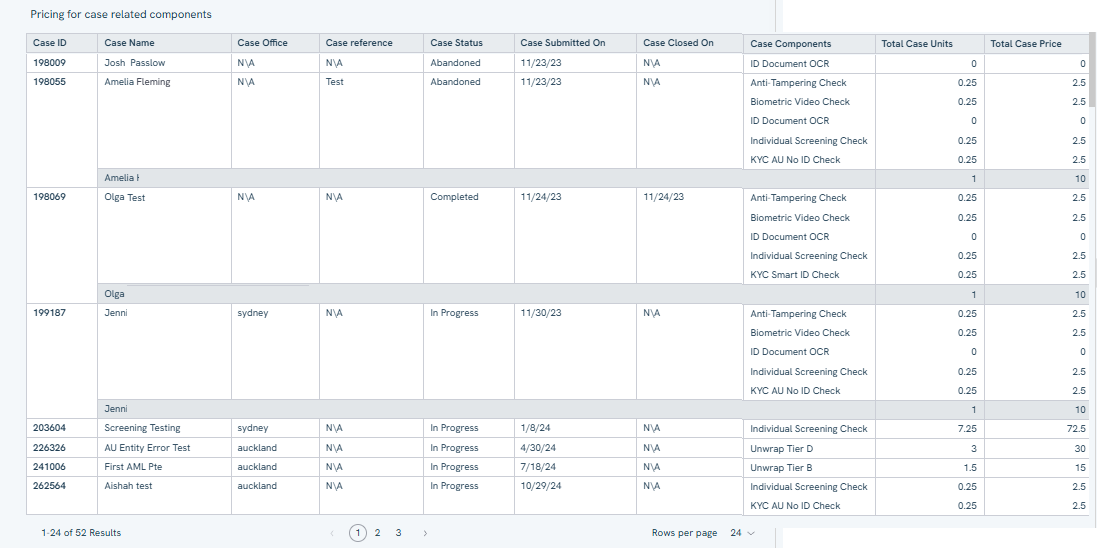
The report also displays case-level details:
- Case ID
- Case Name
- Case Office
- Case Reference
- Case Status
- Case Submitted On
- Case Closed On
- Case Components
- Total Case Units
- Total Case Price
Understanding case components
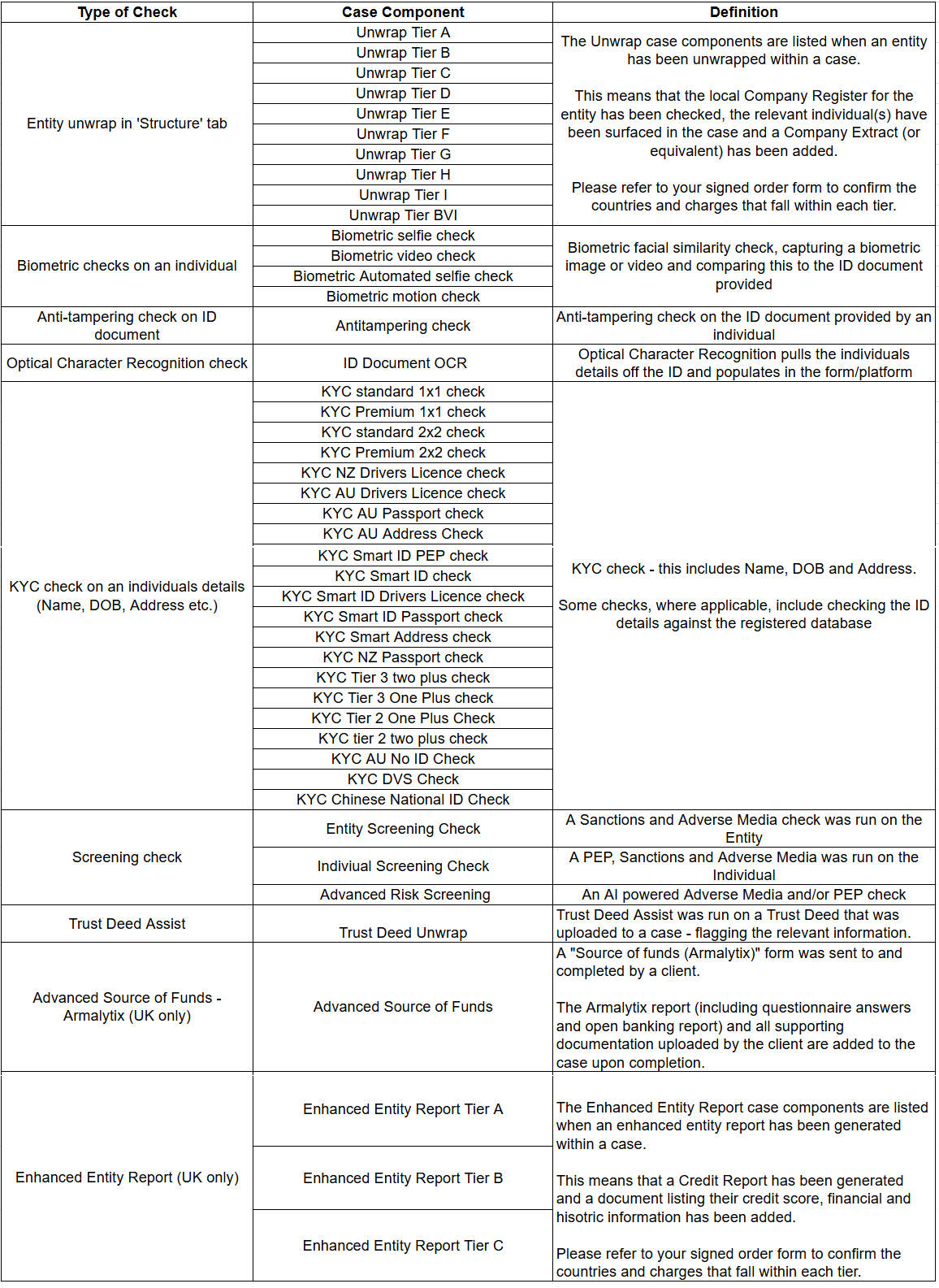
Case components are the individual verification checks run within a case. Examples include:
- Entity unwrap: unravelling an entity's ownership structure by pulling data from registries.
- Electronic verification: verifying an individual's identity electronically.
- Screening check: checking an individual or entity against sources for PEP, sanctions, adverse media, warnings, and fitness & probity matches.
Each component contributes to the unit consumption and pricing breakdown shown in the report.