
TABLE OF CONTENTS
Before you start
Armalytix is First AML's partner for Advanced Source of Funds checks. If you've been asked to complete an Advanced Source of Funds check, you'll receive an email invite to create an account on the Armalytix client portal, a separate system from First AML, where you'll connect your bank details.
Armalytix and the Advanced Source of Funds process are only available for UK-based customers. If you’re outside the UK and have been asked to provide a source of funds, contact your Customer Success Manager or help@firstaml.com for guidance on the right process for your region.
Create an account
- Open the email invite from Armalytix and select the link inside it. This takes you to the create account screen.
- Enter a password that meets all four requirements shown next to the field:
- At least 8 characters
- At least one uppercase and one lowercase letter
- At least one number and one symbol
- Matches the password entered in the Confirm password field
- Each requirement turns from ❌ to ✅ as you meet it.
- Tick the box to confirm you've read the Terms & Conditions and Privacy Policy.
- Select Continue.
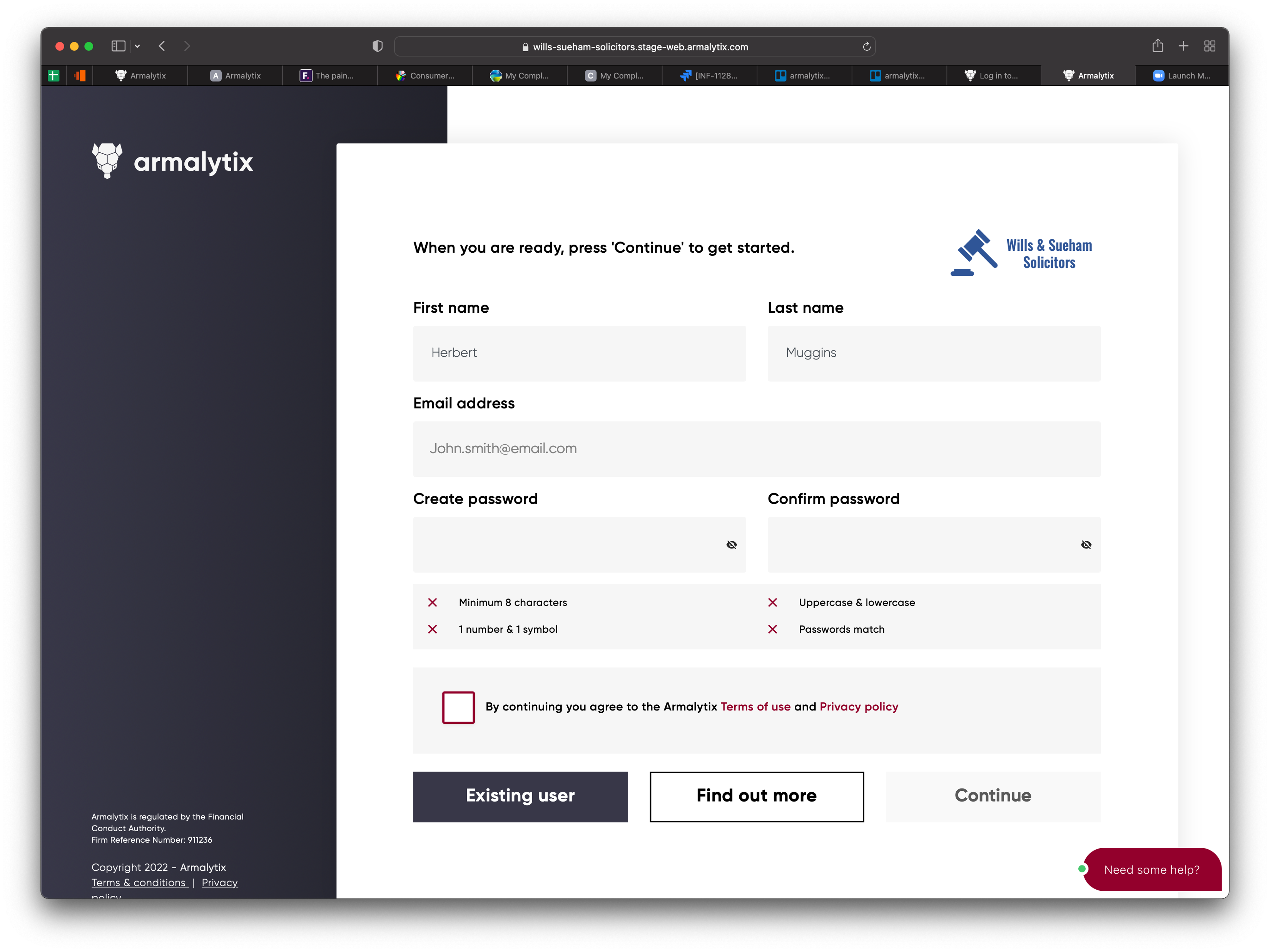
If you already have an Armalytix account from another firm, select Existing user on this screen instead of creating a new one. You only need one Armalytix account, even if you're asked to complete checks for more than one firm.
Reset your password
How you reset your password depends on whether you've created an Armalytix account before.
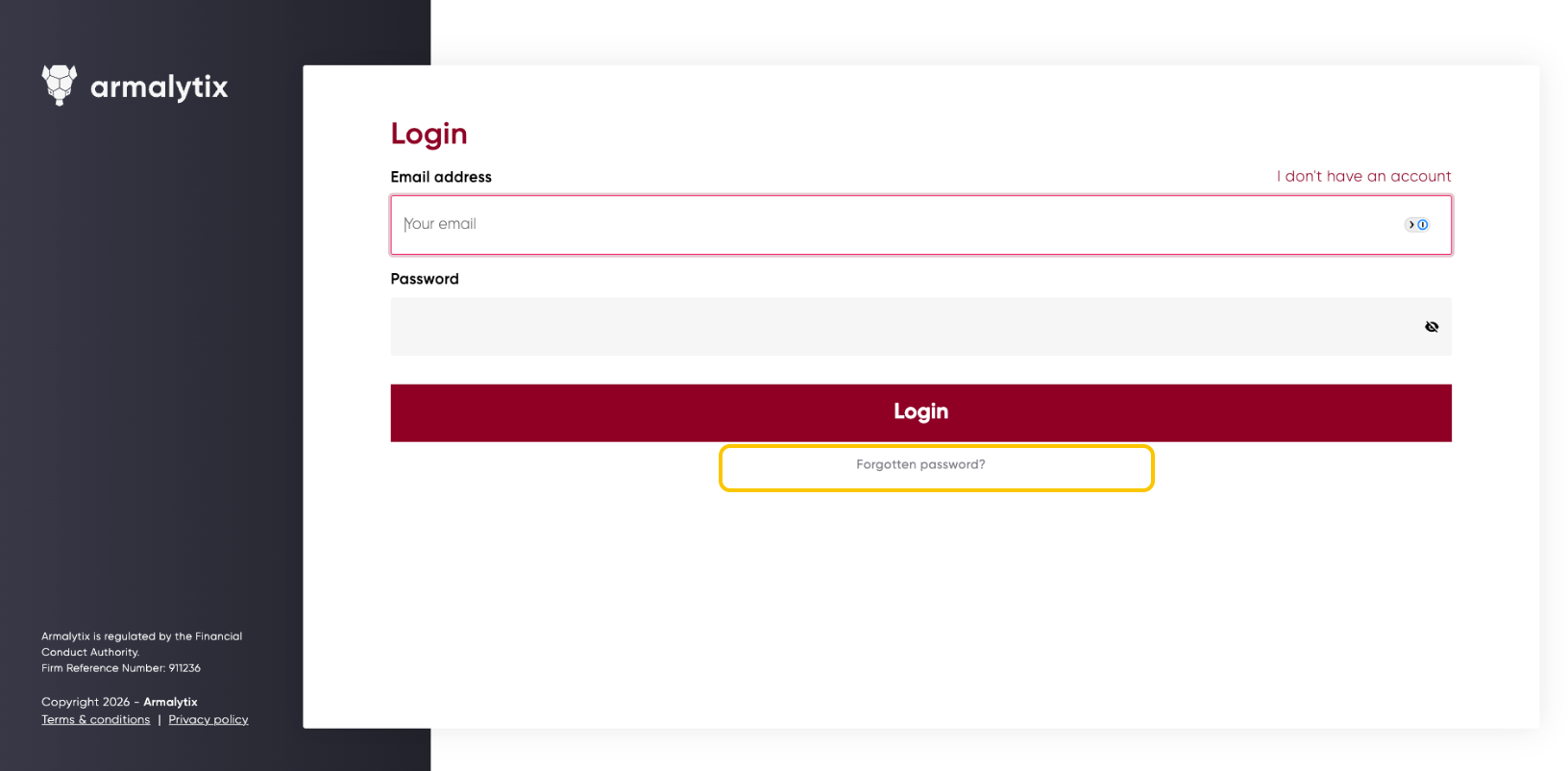
- If you've already created an account: go to the Armalytix login page and select Forgotten password.
- If you haven't created an account yet: you can't reset a password that doesn't exist. Use the link in your invite email instead, this takes you to the create account screen where you'll set a password for the first time.
Troubleshooting
I haven't received my invite email
Your invite is issued as part of the Secure Web Form (SWF) you're required to complete, so it should arrive along with that. Check your spam or junk folder first. If you still can't find it, contact First AML for help.
My invite link has expired
Invite links only work for a limited time. If yours has expired, you won't be able to reset it yourself, ask the person at your firm who invited you to send a new one.