
TABLE OF CONTENTS
- Summary
- Before you start:
- What is Filing History?
- Which documents are retrieved?
- How to sync and view filing documents
- Document retention and whether links are live
Summary
You can sync a Private Company's filing history from UK Companies House and view or download the available filing documents directly from the platform.
Before you start:
- This feature applies to UK Private Companies only.
- The company must have a Company Registration Number (CRN) recorded (see the tip below if you don't have this yet).
What is Filing History?
When you sync filing history for a Private Company, the platform retrieves filing records from Companies House and lists them under the company's Requirements tab (the tab within the Manifest, the hub within a case that lists all individuals, entities, and requirements, where you manage what's been requested or collected for that entity).
Which documents are retrieved?
The platform pulls the company's filing list from Companies House. Documents are then downloaded into the platform in two situations:
During unwrap: First AML's feature that combines an entity tree builder with up-to-date company registry data from global registries, automatically retrieving and mapping an entity's ownership structure in a single click): we fetch a limited set of documents that may contain shareholding information.
On demand from filing history: when you open a filing document from the filing history list for the first time, we download that document to the entity.
This means we do not automatically download every filing document upfront, which avoids very large downloads and helps stay within Companies House API rate limits.
How to sync and view filing documents
Before you start:
Create a case with a Private Company, or use an existing case where a Private Company appears in the Structure.
Make sure the company has a Company Registration Number recorded.
To sync filing history:
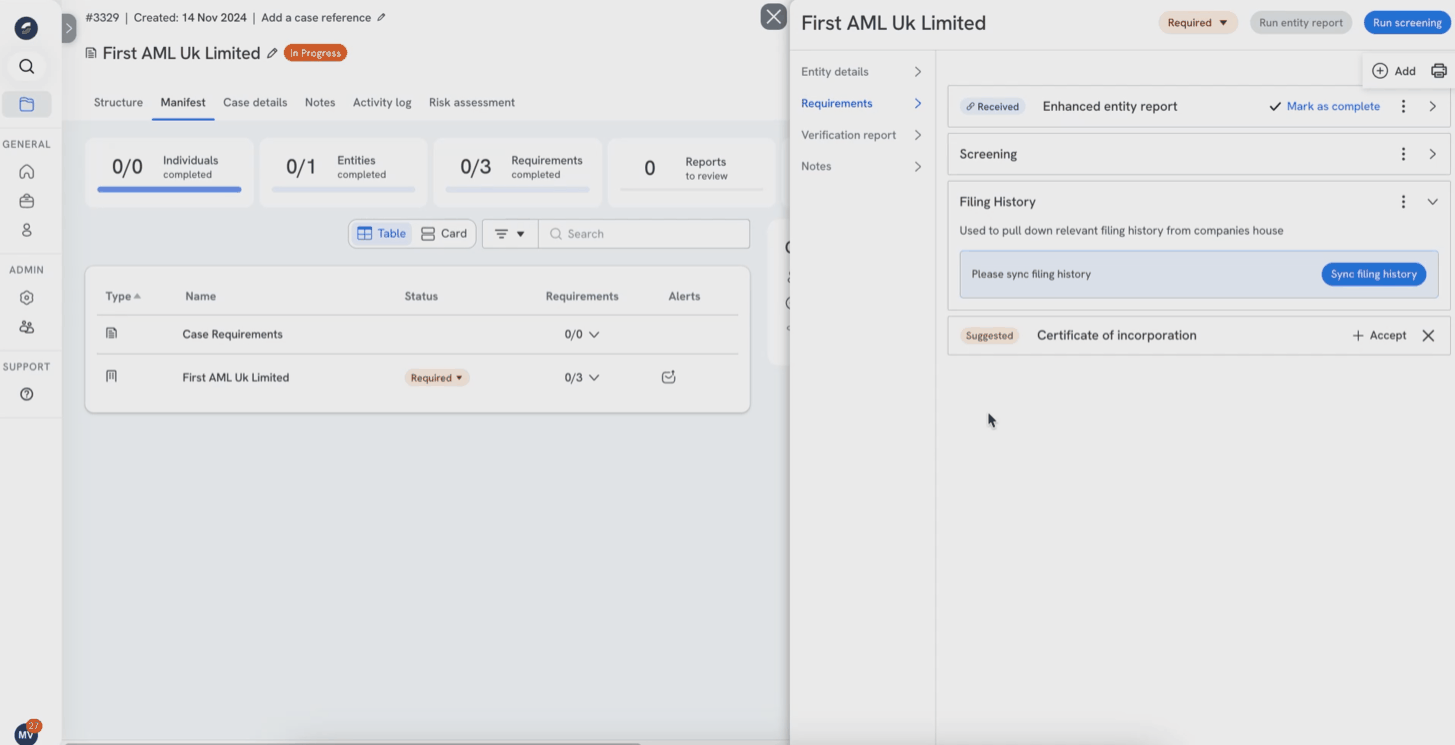
Go to Manifest and select the Private Company.
Open the Requirements tab. (Optional: you can also set up a Compliance Rule so the requirement appears for all Private Companies by default.)
Click Add and select Filing History.
Click Sync filing history.
To open or download a document:
Use the search to find the filing you want.
Do one of the following:
Click the file description to open it in a new tab.
Click the three dots next to a filing, then select View or Download.
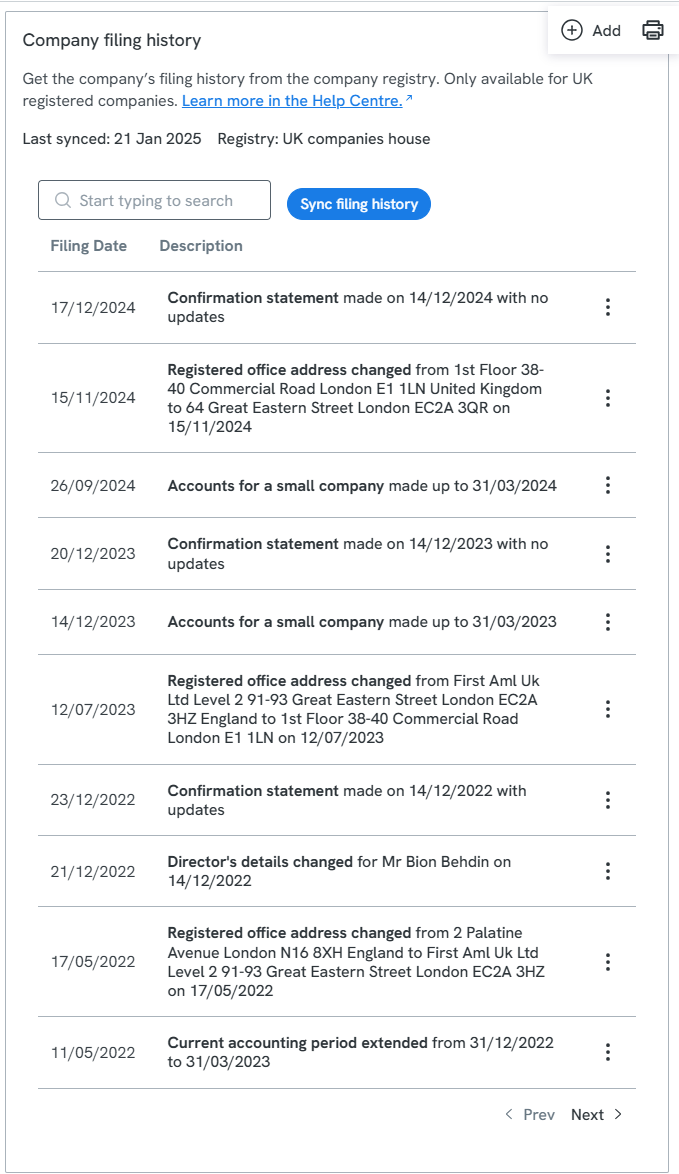
Please see an example of a synced "Company filing history" requirement below:
Tip: finding the Company Registration Number
If you do not have the Company Registration Number, you can confirm it from the Structure tab using the company name and registered country:
Add the Private Company to the case (with Name and Registered Country).
In Structure, click Start unwrap.
The Search and confirm window will show the Registration Number for the entity.
Close the window if you do not want to proceed, or click Confirm to continue the unwrap.
Document retention and whether links are live
Customers sometimes ask whether a filing document remains available in the platform if it is later removed from Companies House.
Here is how it works:
The filing history list is retrieved from Companies House when you sync.
A document is downloaded into the platform only:
during unwrap (limited set), or
the first time a user opens a filing from the filing history list.
Once a document has been downloaded into the platform, it is stored against the entity, so you can access it later from the platform even if the Companies House listing changes after that point.
Important nuance: if a document has never been opened (so it was never downloaded), and it is later removed from Companies House, you may no longer be able to retrieve it from the source at that point.