
Summary
When a deceased estate sells a property, you can't verify the deceased person. Instead, set up the case with the estate as the entity, add the executor as an individual, and verify the executor.
Note: You need a Compliance role to complete these steps.
How to set up a Deceased Estate case
Step 1: Create the case
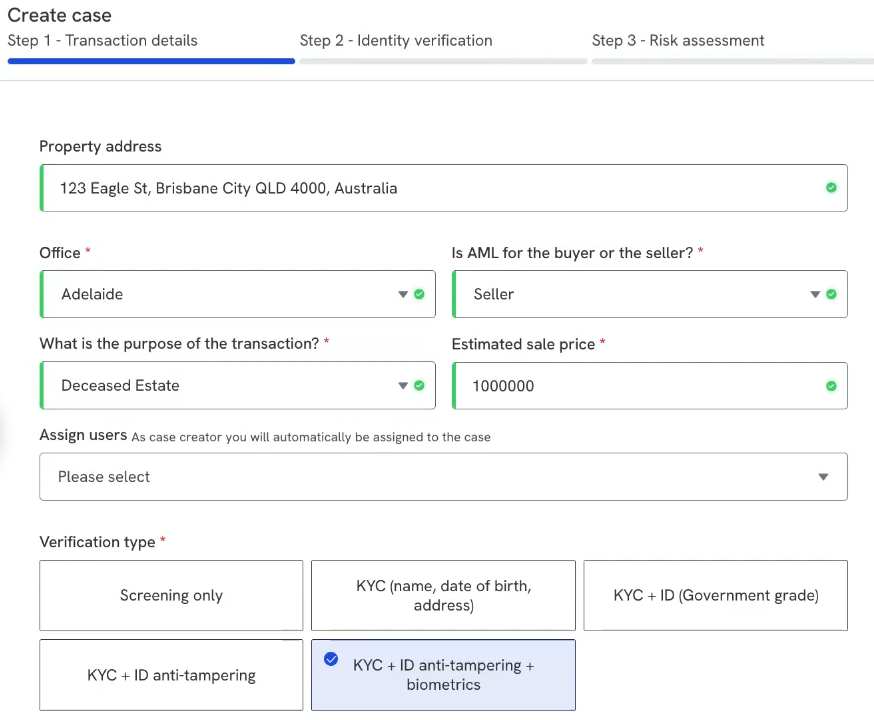
Enter the property address and select Seller. Under the purpose of the transaction, select Deceased estate. Enter the sale price.
Step 2: Add the estate as an entity
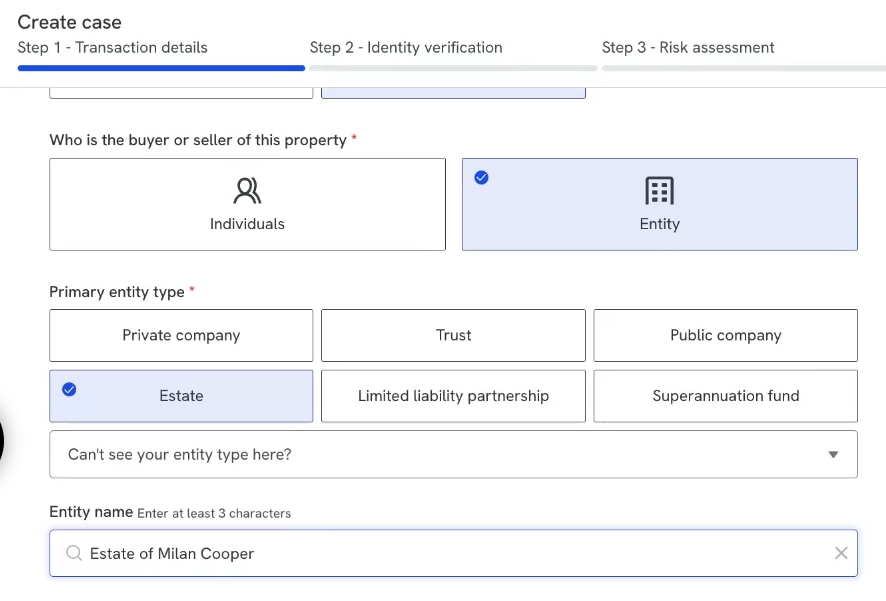
Select Entity rather than Individuals, then select Estate as the entity type. Name the entity after the deceased person, for example "Estate of [deceased person's name]".
Step 3: Add the executor
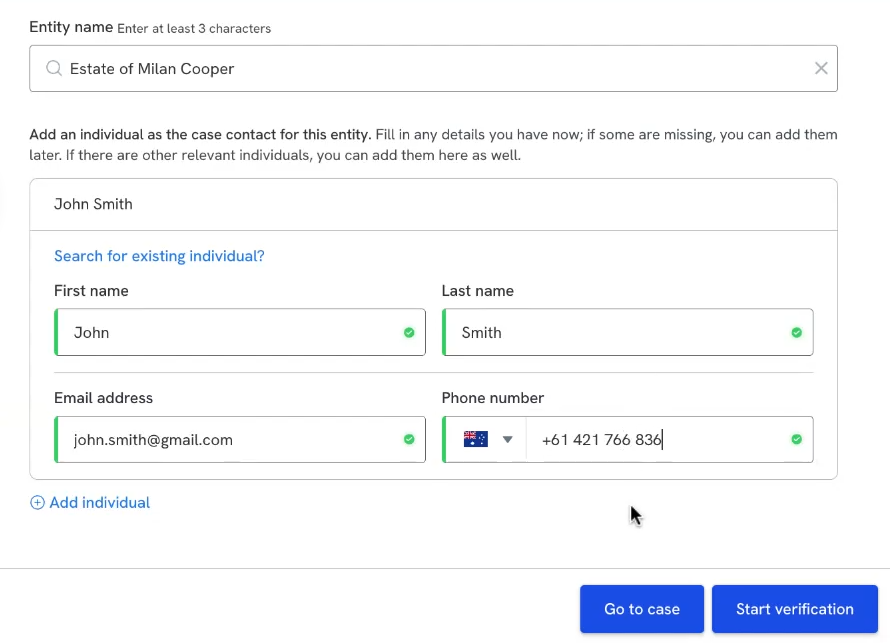
Add the executor as an individual, since they're the person you'll verify. Enter their name, email address and phone number.
Step 4: Complete verification and the risk assessment
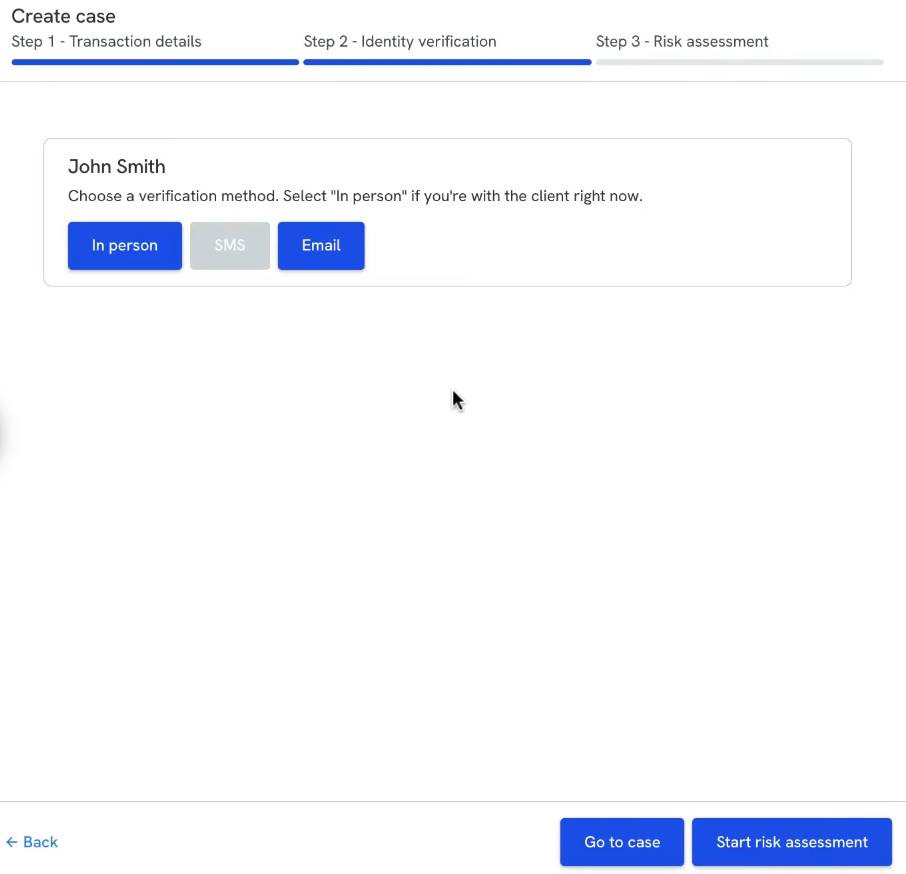
Continue through the verification step and the risk assessment as you would for any case.
Step 5: Set the executor's relationship on the Structure page
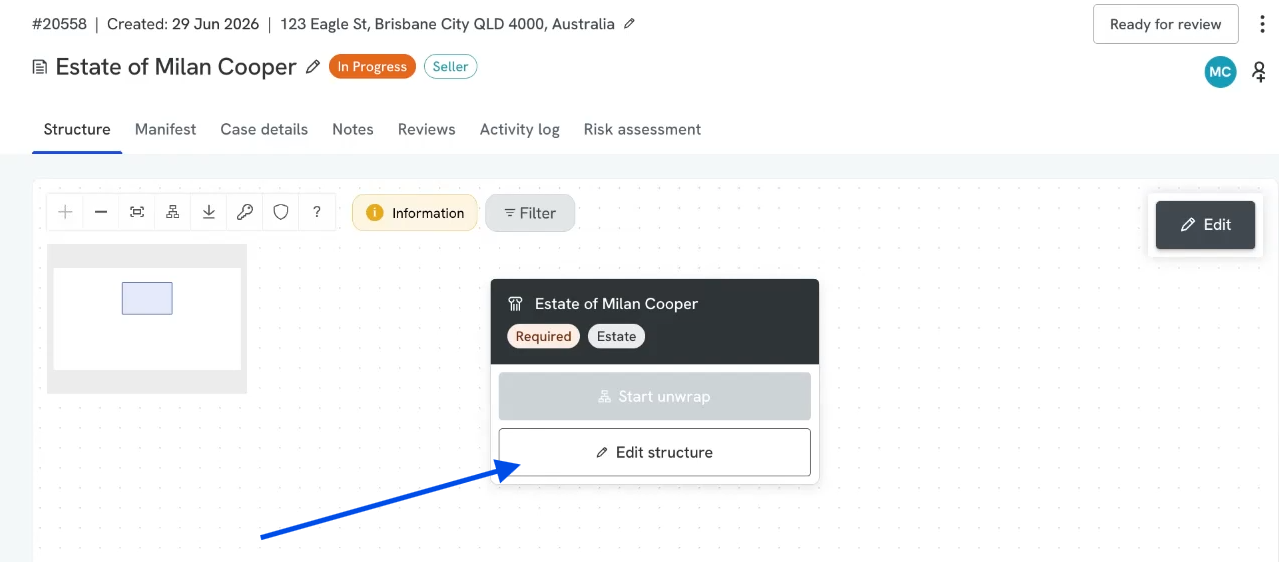
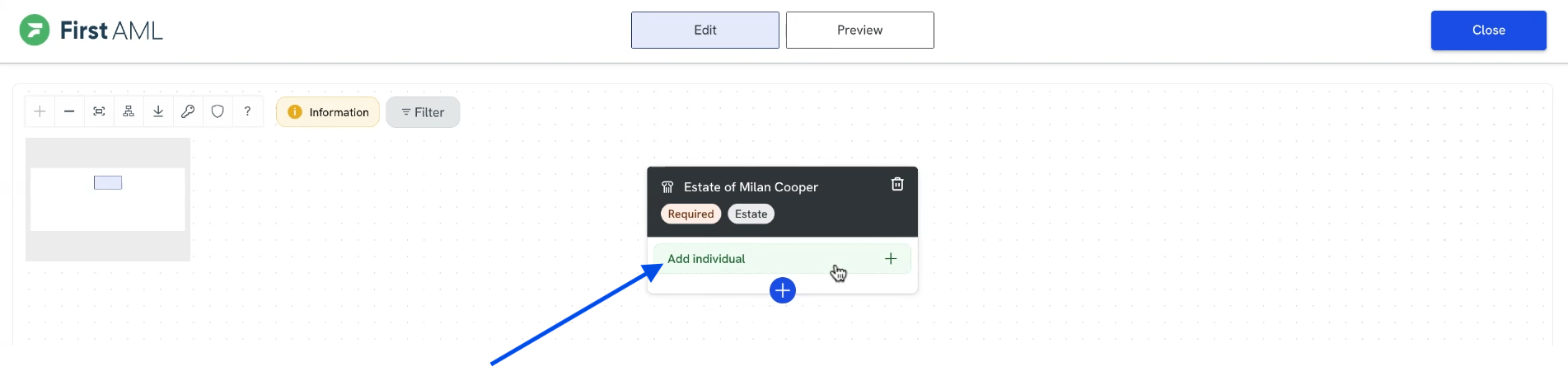
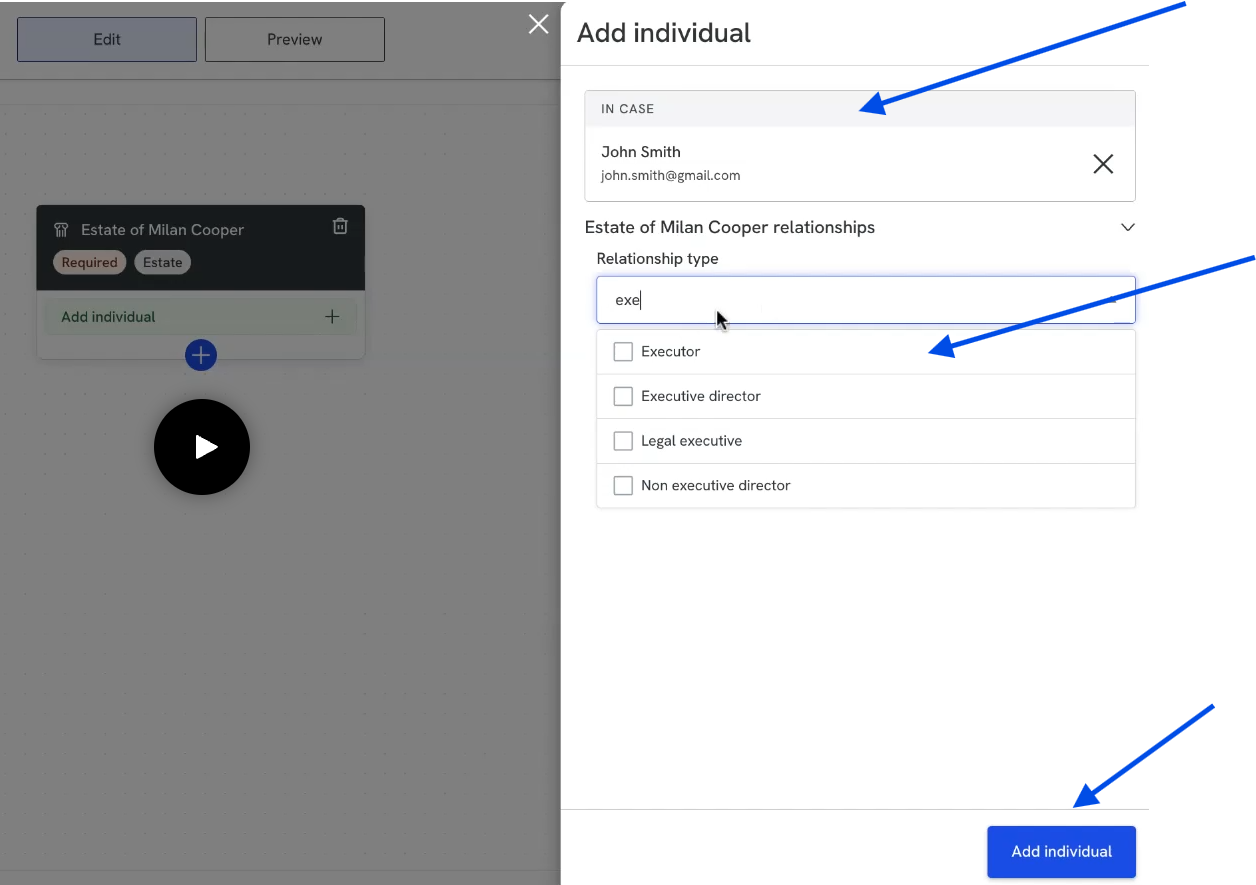
Open the case and go to the Structure page. Edit the structure and add an individual: start typing the executor's name, then select them from the people on the case. Under Relationship type, enter Executor. The structure now shows the estate with the named executor.
Step 6: Request the probate or will
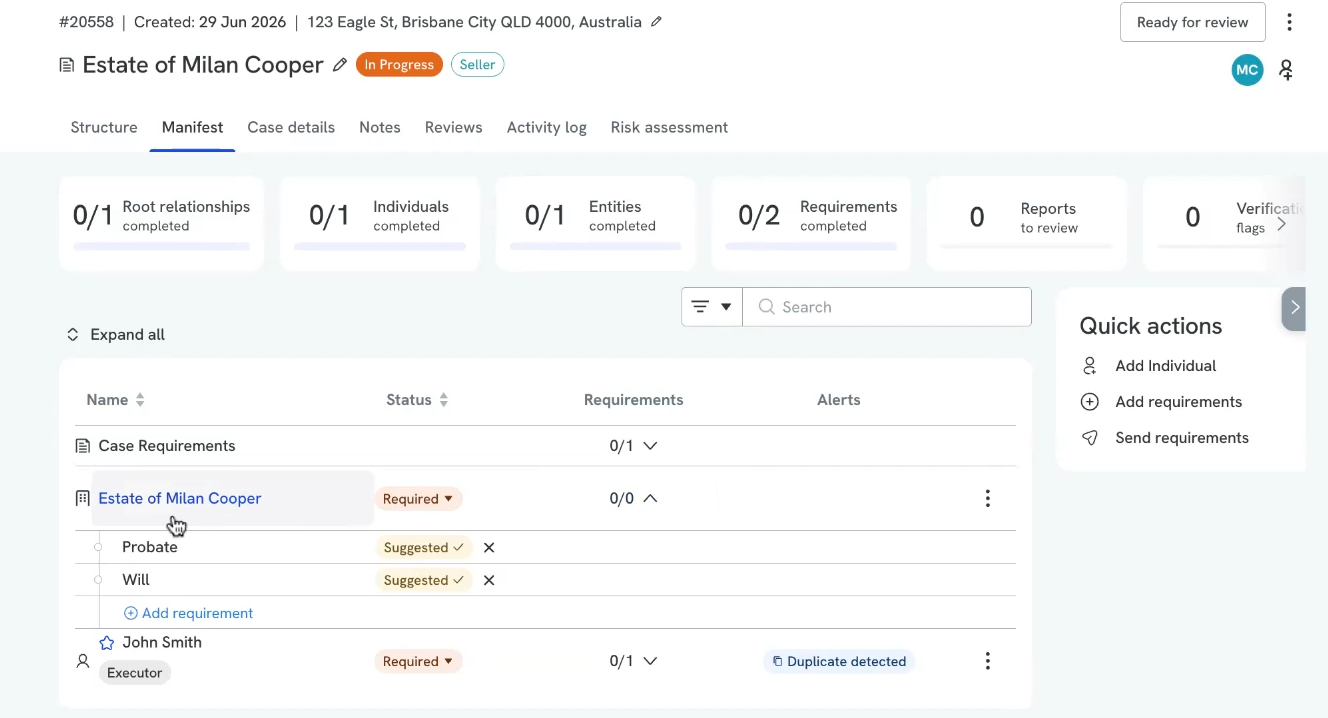
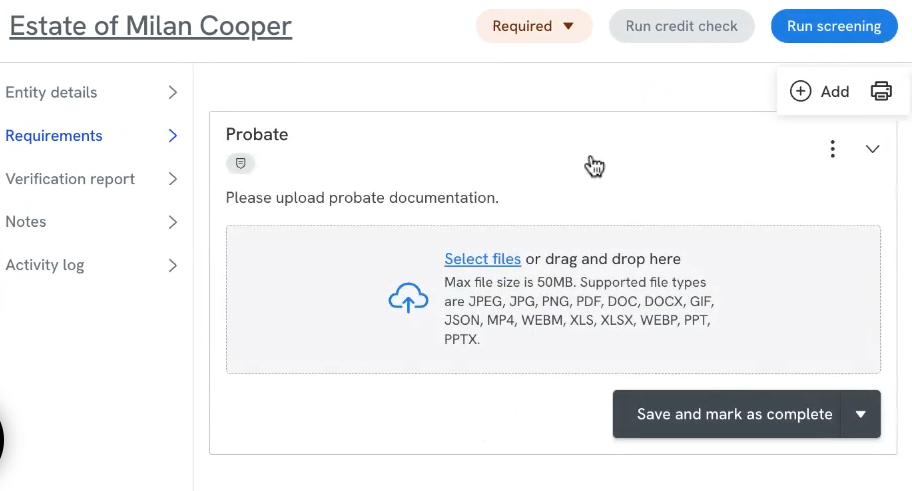
Open the Manifest tab. You'll see the estate, the executor with an identity verification requirement, and a suggested requirement to obtain the probate or the will. Accept the suggestion.
Ask the executor for the probate, if one has been granted, or the will, as evidence of their appointment. Upload it yourself, or click Send requirements so the executor can upload it online.
Step 7: Verify the executor and move the case on
Once the probate or will is on file and the executor is verified, the case has everything it needs. Move the case to Ready for review.