
TABLE OF CONTENTS
This feature is available to user roles Compliance Admin, Author, Compliance Office Admin, Compliance Office Approver and Compliance Office Member.
Summary
Our 'Verify Uploaded ID' feature enables users to upload ID documents for comprehensive anti-tampering and anti-fraud checks. This is particularly beneficial for customers who receive ID document copies via email or other means. By uploading an ID document, users can verify the individual's information by updating their verification type to (KYC) and process the document's legitimacy and validity. These checks can be performed at any point, during or after case creation.
What is a case?
A case is First AML's term for the record of work involved in verifying one or more individuals or entities for a transaction. Depending on your industry, you might know it as a "matter", "onboarding", or "deal".
OCR and Anti-Tampering
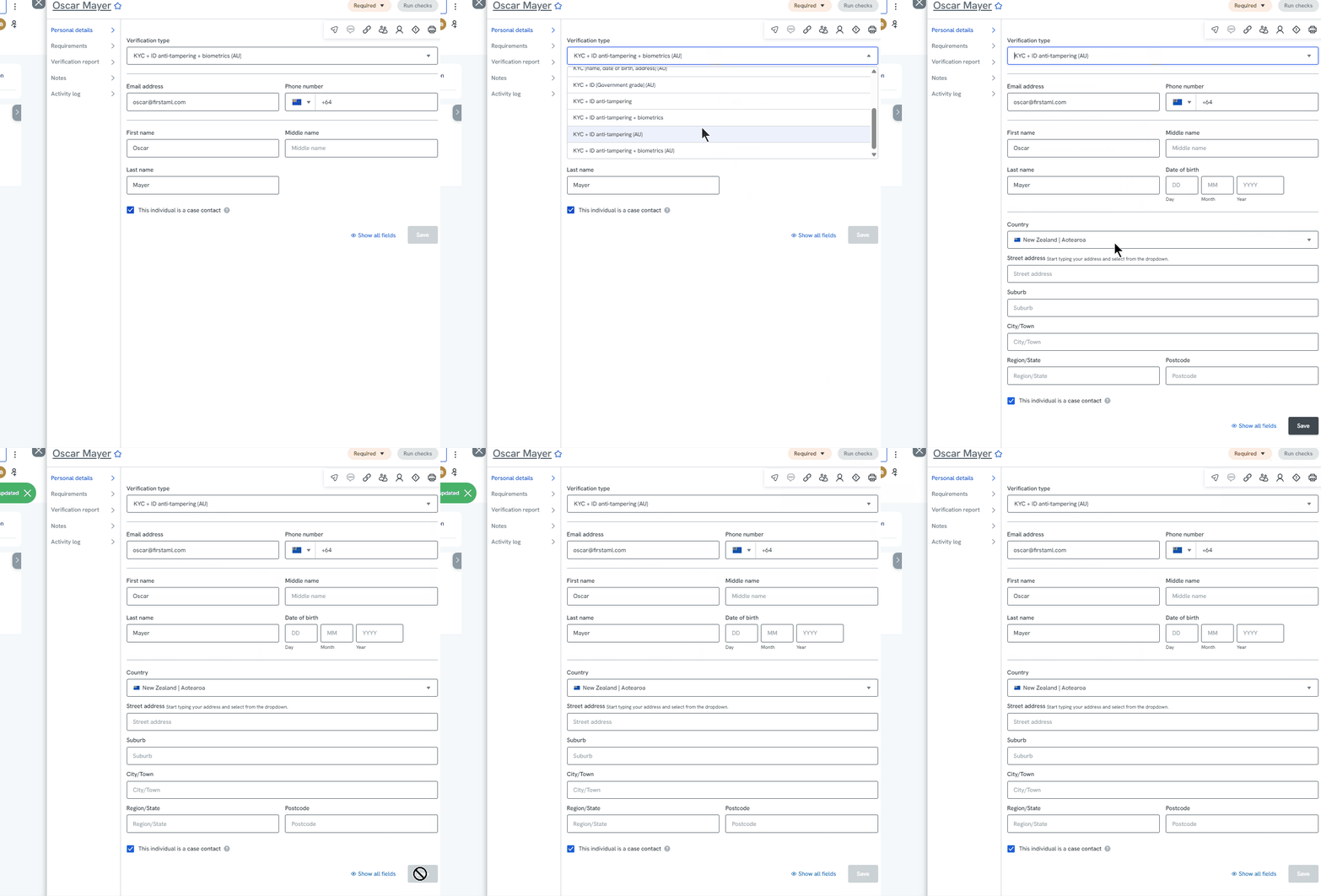
To run both OCR and anti-tampering, select the ‘KYC + ID anti-tampering’ verification type. Note that OCR checks are available for all verification types.
Optical Character Recognition (OCR) will be run on the ID document to pull out ID document metadata details such as:
- Country
- Document Type
- ID Number
- Expiry Date
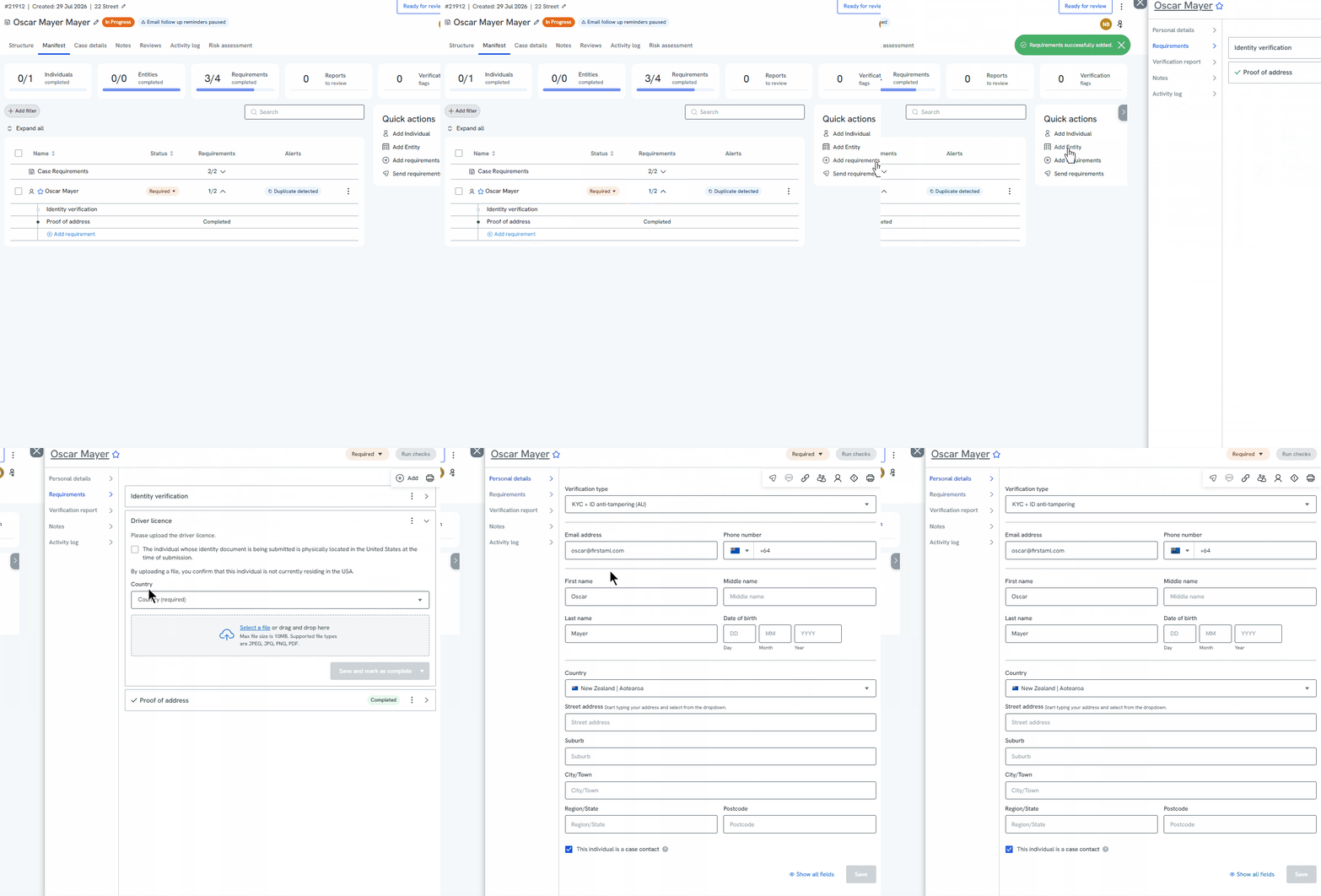
Users can upload the following ID documents for OCR and KYC, Government ID and Anti-tampering (including MRZ) checks:
- Passport
- Drivers Licence
- National ID
File Size
The maximum file size is 10MB. The following file types are accepted for OCR checks and anti-tampering checks:
- JPEG
- JPG
- PNG
- PDF
Step by Step Instructions
- Once you have created a case or added an individual, click ‘Add requirement’ to upload your client’s ID
- Select the relevant ID document from the ‘Add requirements’ module and then click ‘Add requirements’
- Upload the ID document within the upload box. The OCR checks will run automatically on the ID document.
- Review the extracted information and make any adjustments, then click ‘Save and mark as complete’
- Depending on the chosen verification type, you may need to adjust the verification type to run checks. E.g. change the verification type to ‘KYC + ID anti-tampering’
- Once you click ‘Run checks’ the information will be automatically run.
Please note that this verification method has a billable charge. For further information on costings, please contact help@firstaml.com for further information on costings.