
Summary
Instead of sending an EIV request, you can ask a conveyancer to verify the buyer's information for a case. This article covers how to send a verification request to a conveyancer (during case creation, or after a case has already been created), and how to record a Verification of Identity (VOI) report once you've received one back.
Important notes
Legal responsibility: Relying on a conveyancer's CDD does not transfer your legal obligations. Your agency remains responsible for meeting its AML/CTF obligations under AUSTRAC, regardless of whether a conveyancer completes the CDD. If their due diligence is later found to be deficient, your agency can still face penalties.
Conveyancer response: Conveyancers are not legally obligated to respond to your request, which may slow the case down. If they do not respond, your agency will need to complete CDD on the buyer directly, either by sending the buyer an EIV form or using an alternative verification method in line with your compliance programme.
Buyer CDD timeframe: Under Rule 6-33 of the AML/CTF Rules 2025, CDD on a buyer can be delayed up to 28 days after contract exchange, or at least 3 days before the initially agreed settlement date, whichever is earliest. This window begins at exchange, not when the contract goes unconditional.
Sending a verification request to a conveyancer
During case creation
Available to all user roles except Team Member.
- Start creating a new case as normal.
- At Step 2 - Identity verification, you'll see two options: verify the buyer yourself, or request verification from their conveyancer.
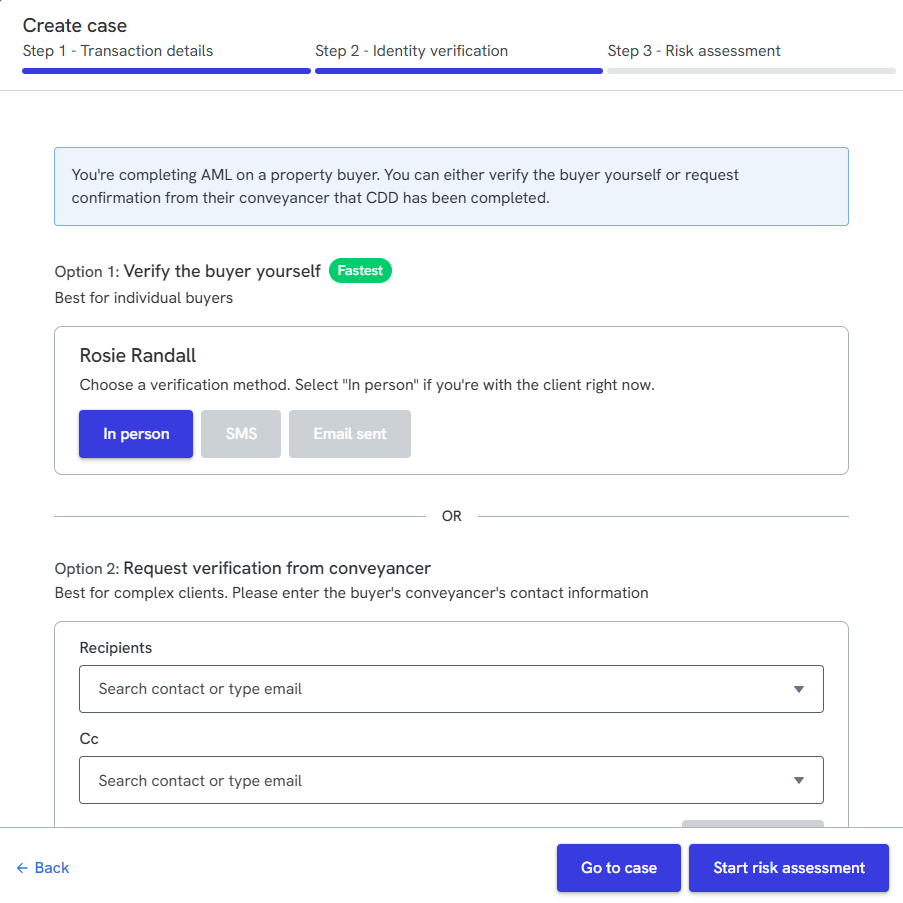
- Under Option 2: Request verification from conveyancer, enter the conveyancer's email address in the Recipients field.
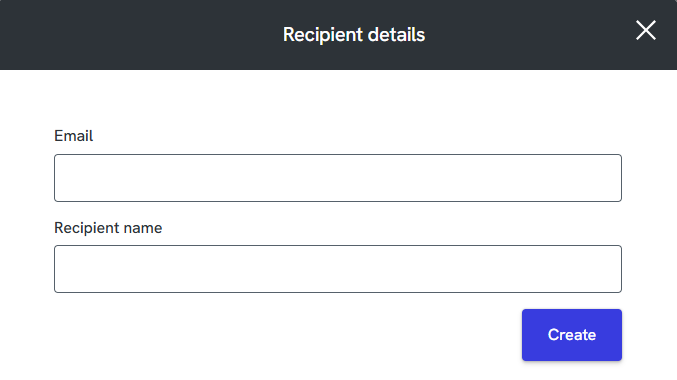
- Enter the Conveyancers details and click Create.
- Click Go to case, or Start risk assessment to continue with case creation.
After a case is created
Available to the Compliance team only.
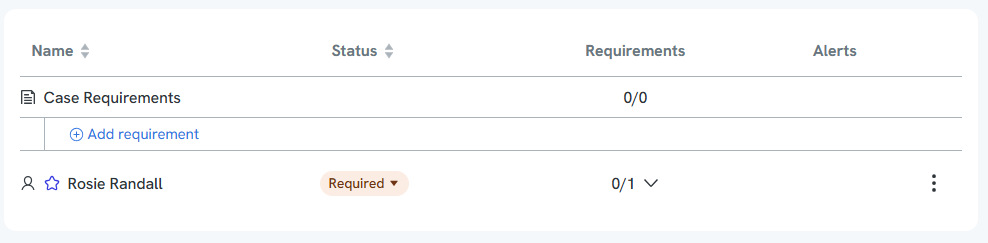
- Open the case and go to the Manifest tab. Click case requirements and + Add Requirement
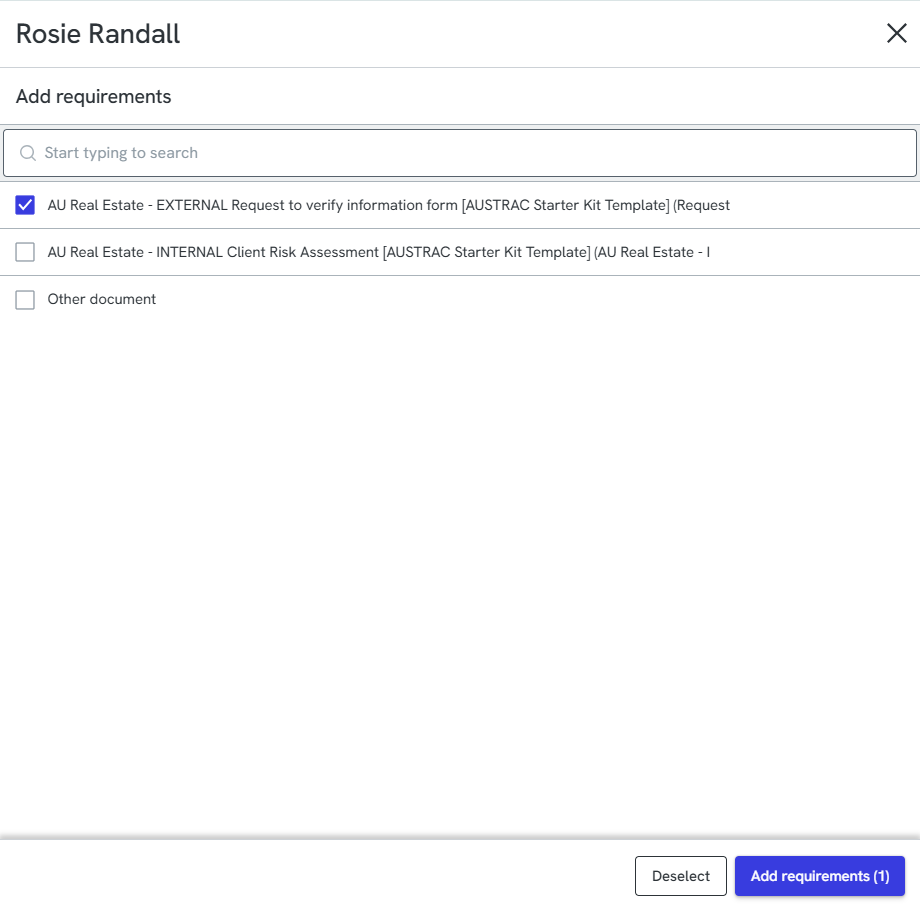
- Search for AU Real Estate - EXTERNAL Request to verify information form [AUSTRAC Starter Kit Template]. Tick it, then click Add requirements.
The requirement now appears under Case Requirements as "Request to verify information."
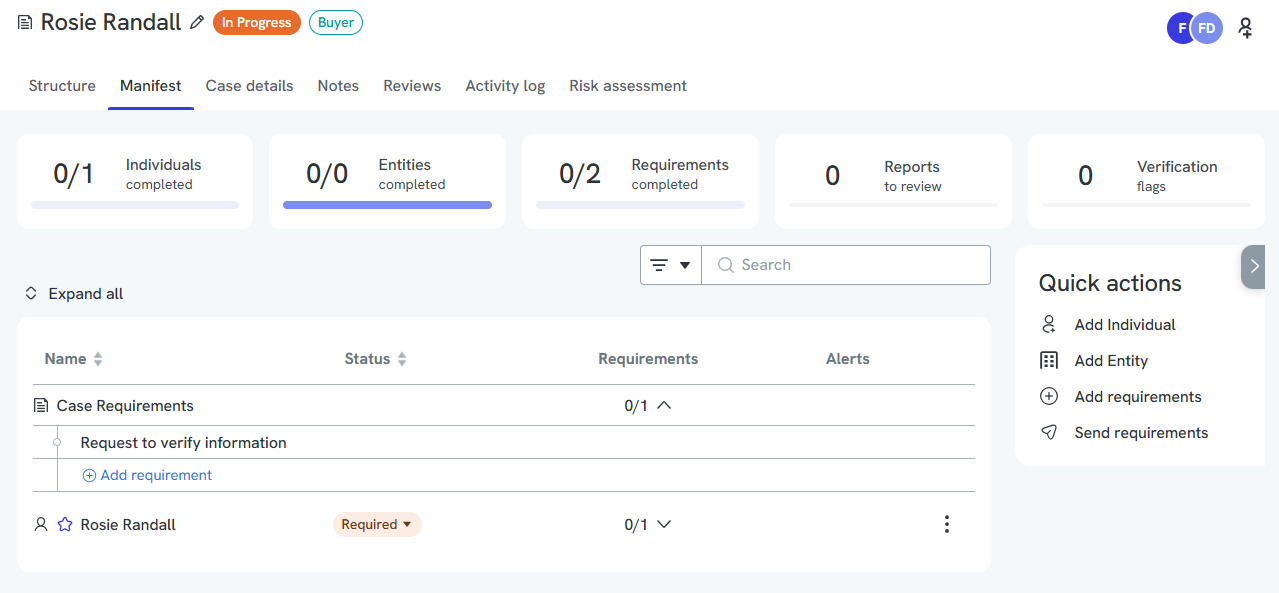
- In Quick actions, click Send requirements.
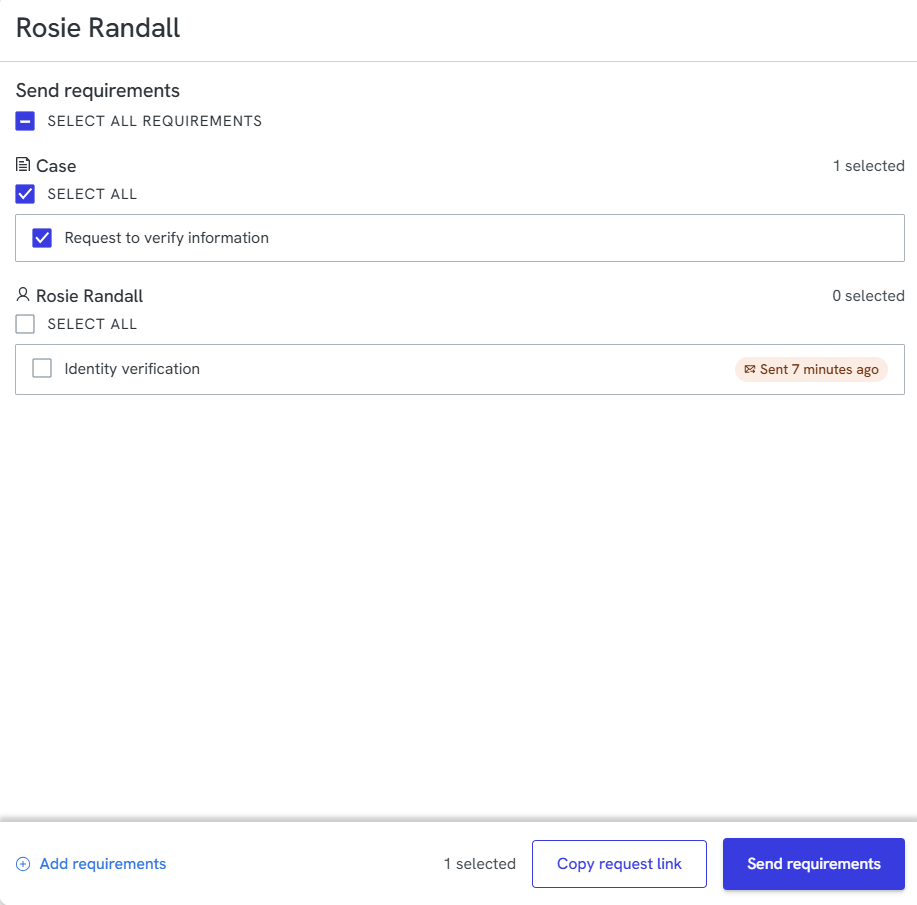
- Tick Request to verify information under Case (this is a case-level requirement, not tied to the individual buyer). Click Send requirements.
Note: from this same panel, you can also tick and send Identity verification under the buyer's own name, if you'd like to send them their own EIV request directly, for example, as a fallback if the conveyancer doesn't respond (see "Conveyancer response" above).
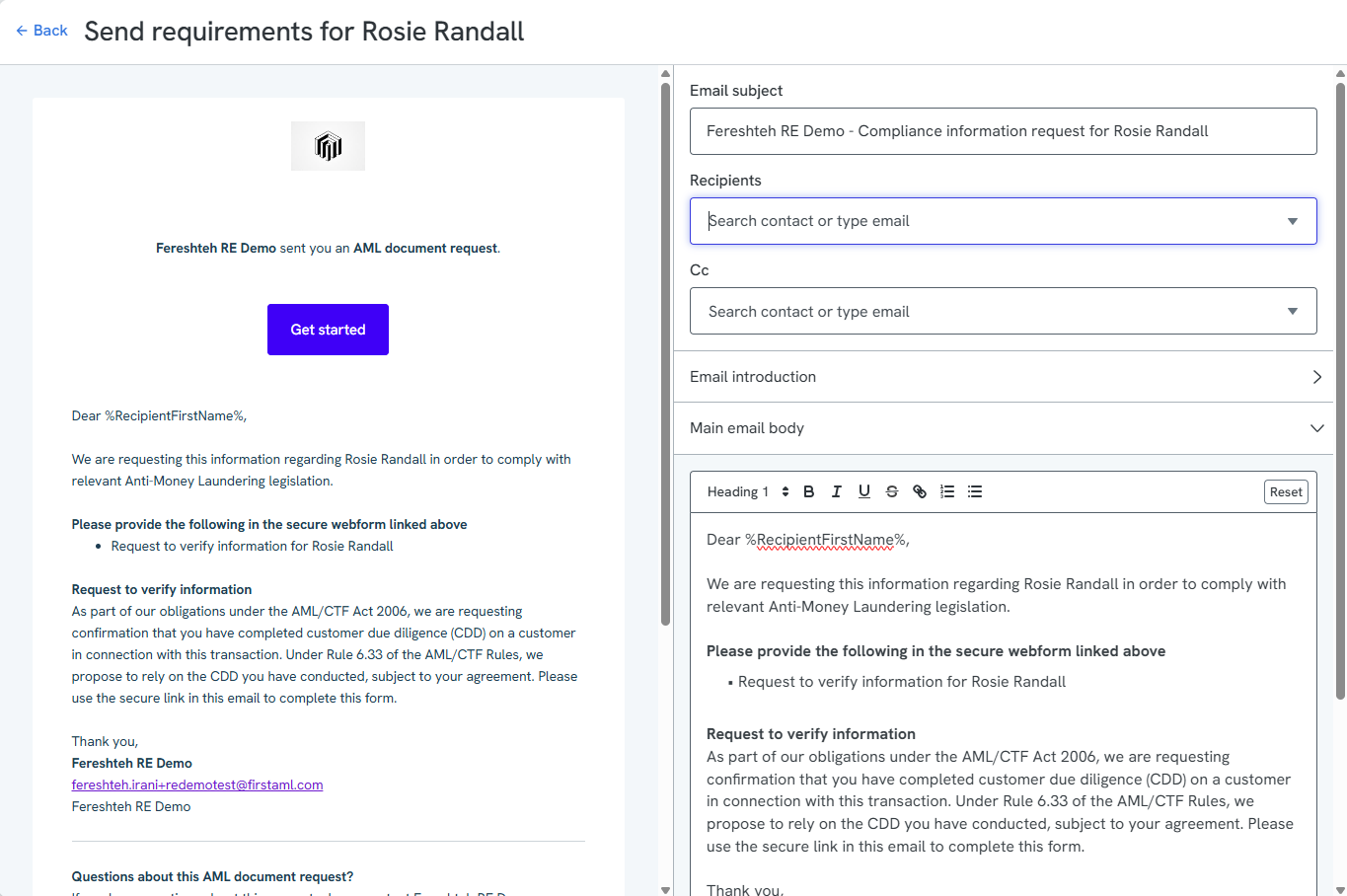
- Enter the conveyancer's email address in the Recipients field (add a Cc if needed). If they're not an existing contact, you'll be prompted to add their name, as in step 1 above.
- Review the email preview, then click Send. The conveyancer is added as a case contact.
Completing the case
To complete the case, label the individuals and entities as Not Required. The case can then be marked as Completed.
Receiving a Verification of Identity (VOI) report
Available to the Compliance team only.
If a conveyancer sends you their completed Verification of Identity (VOI) report directly (e.g. by email, outside of the platform), you can still record it against the case by adding it as a requirement and uploading the document manually.
- Add an individual requirement called Verification of Identity.
- Upload the report to this requirement.
- Mark the individual as Pass
You don't need to add the conveyancer as a case contact for this method. Once the report is uploaded, mark the individual as Completed.