
TABLE OF CONTENTS
- Overview
- How to view the Entity Summary
- What the Entity Summary shows
- What you see for a trust or other entity without shares
- Why this matters
- The Entity Summary and the Information panel are different
- Frequently asked questions
- Related articles
Overview
The Entity Summary gives you a quick snapshot of how complete an entity's ownership review is, and which ultimate beneficial owners (UBOs) have been identified so far. It's a fast way to check unwrap progress and UBO findings without reviewing the full structure. What it shows depends on the entity type, so it is the most reliable guide to what the entity in front of you actually needs.
How to view the Entity Summary
- Go to the Structure tab.
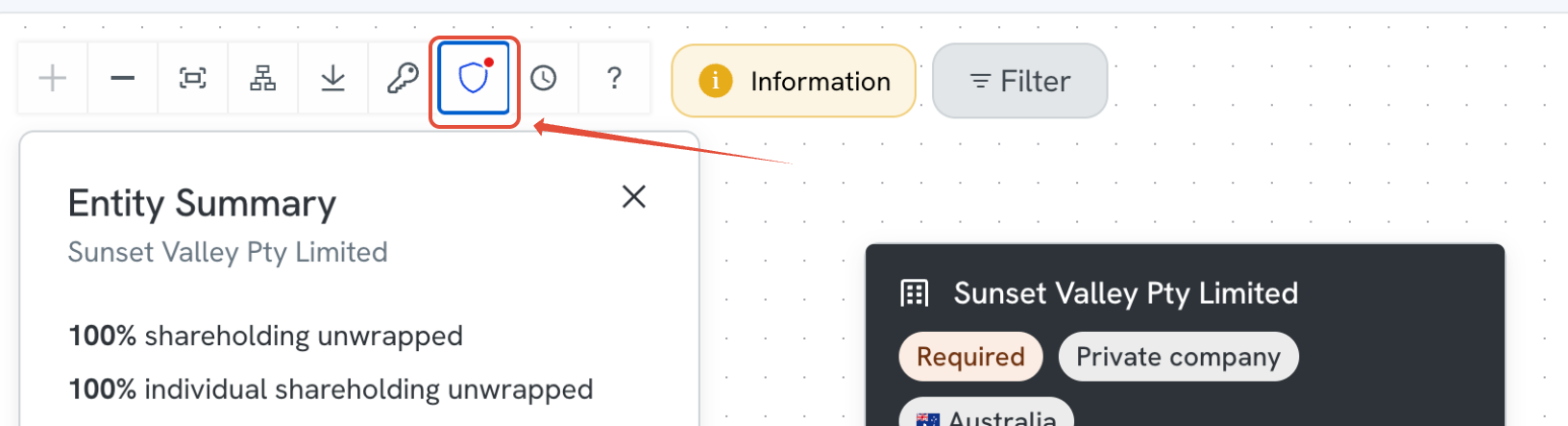
- Select the UBO icon (the shield icon) on the entity you want to check.
- The Entity Summary panel opens for that entity.
What the Entity Summary shows
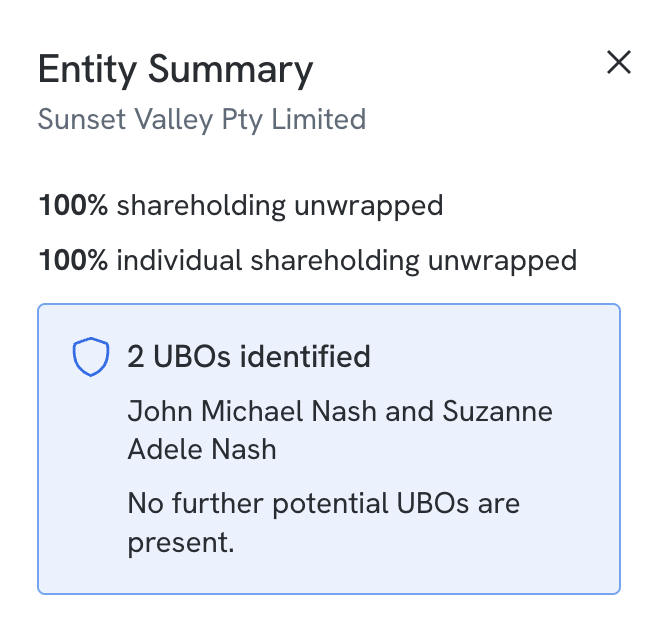
For a company, or any entity type that holds shares, the panel displays:
- The entity's name.
- What percentage of shareholding has been unwrapped.
- What percentage of individual shareholding has been unwrapped.
- The number of UBOs identified, with their names listed.
- A note confirming whether any further potential UBOs remain to be found, for example "No further potential UBOs are present."
What you see for a trust or other entity without shares
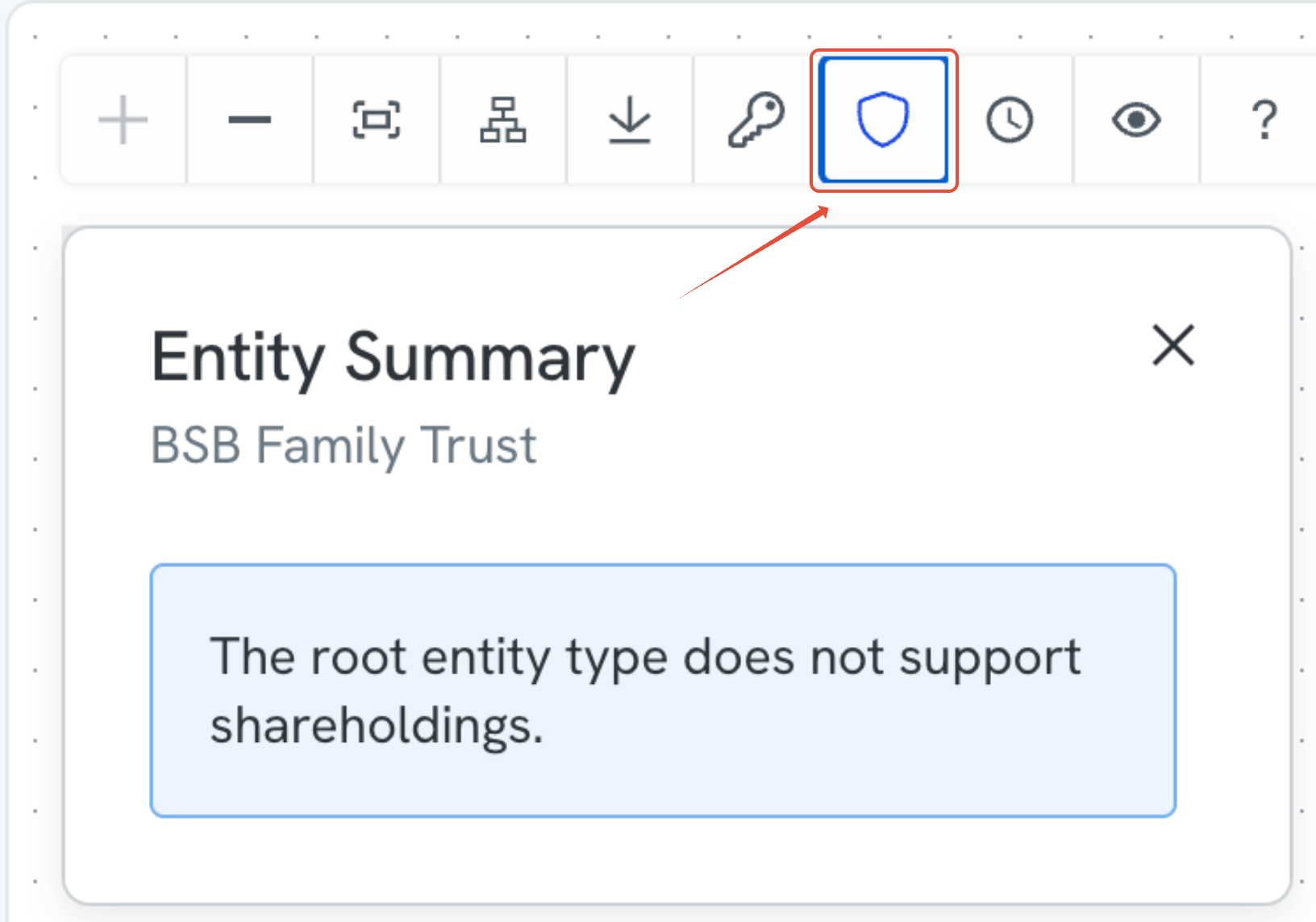
Not every entity type holds shares. When the entity does not, the Entity Summary tells you so instead of showing percentages:
The root entity type does not support shareholdings.
This is a confirmation, not a problem to fix. It means the platform is not expecting share data for this entity, so there is nothing missing and nothing for you to find or enter.
Ownership works differently for a trust than it does for a private company:
- A private company issues shares. Ownership and control are worked out from who holds those shares and in what proportion.
- A trust does not issue shares. Control and benefit sit with the roles set out in the trust deed.
This is why the Structure tab shows a trust's connected people with role tags such as Trustee, Appointor, Settlor and Beneficiary rather than a shareholding percentage. Beneficial ownership for a trust is assessed from those roles, not from share data.
Testamentary trusts work the same way. A testamentary trust is created by a will and takes effect after the person who made the will has died, so it is often described as an estate. In the platform it is handled like any other trust.
Why this matters
- Confirms at a glance whether an entity's structure has been fully unwrapped.
- Shows how many UBOs have been found without needing to trace the full structure manually.
- Flags clearly when no further UBOs remain, so you know the review is complete.
The Entity Summary and the Information panel are different
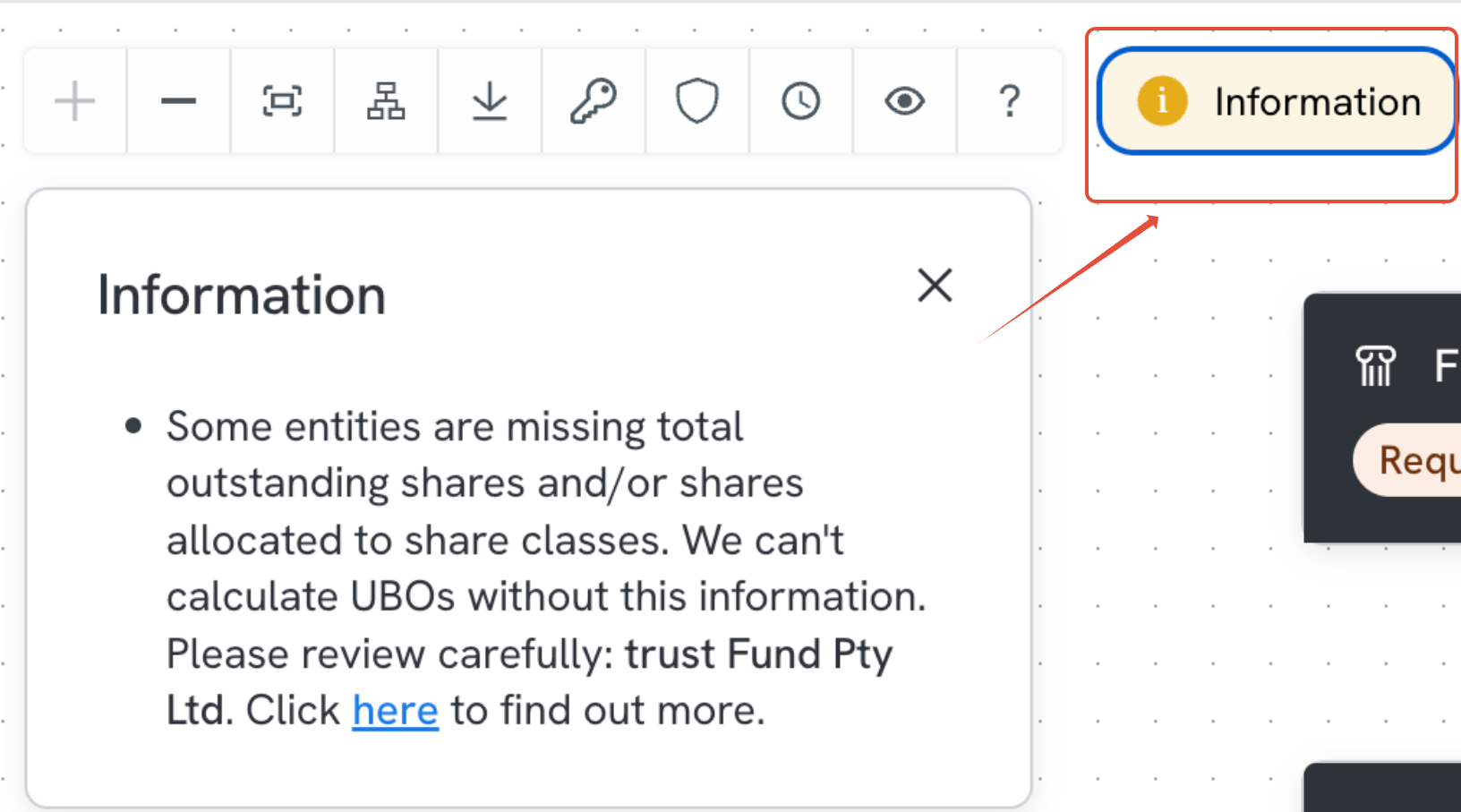
The Information button sits next to the shield icon in the Structure tab toolbar, and the two panels do different jobs.
- Entity Summary (shield icon) is specific to the entity you selected. It tells you what applies to that entity type.
- Information is general. It reports on the structure as a whole, and its messages are written to cover every entity type, so the wording is deliberately broad.
The most common Information message is about share data:
Some entities are missing total outstanding shares and/or shares allocated to share classes. We can't calculate UBOs without this information. Please review carefully: [entity name].
This is a prompt to review, not an error, and it is not holding the case up. For a private company it usually means share numbers are genuinely missing. For an entity type that does not hold shares, such as a trust, it can appear even though nothing is wrong.
If the two panels seem to disagree, follow the Entity Summary. If Information raises missing shares but the Entity Summary says the root entity type does not support shareholdings, there is nothing to fix.
Frequently asked questions
The Information panel says shares are missing, but the entity is a trust. What do I do?
Nothing. Open the Entity Summary using the shield icon. If it says the root entity type does not support shareholdings, the platform is not waiting on share data and your case is not being held up by it.
Do I need to enter a shareholding percentage for a trustee?
No. Trustees hold their role under the trust deed, not through shares. If you have entered shareholding figures for a trust to try to clear the Information message, they are not needed.
The entity is an individual acting as trustee for a trust, and there is no company extract. Is that a problem? No. A company extract is a registry document, and trusts are not registered the way companies are, so there is no extract to retrieve for the trust itself. The trust deed is the equivalent source document. Upload the trust deed along with any amendment deeds, then work through the requirements listed against the trust and each person on it in the Manifest tab.
What if the trustee is a company rather than an individual?
A trustee company does have a registry record, and is verified separately with its own extract, directors and shareholders. It needs to be unwrapped on its own.
Why can I not calculate UBOs for this trust?
UBO calculation uses share data, which a trust does not have. Beneficial ownership for a trust is assessed from the roles in the trust deed instead.
Can First AML advise me on how to treat this trust?
First AML cannot provide compliance advice on a specific case or entity. If you think the information the platform has returned is incomplete or incorrect, contact First AML Support and we will look into it.