
TABLE OF CONTENTS
- Overview
- How it works
- The documents and points
- What gets checked
- Setting it up
- Running a verification
- Reading the report
- When a name does not match
- When identity has already been verified
- What to expect:
- Related articles
Overview
The 100-point identity standard lets you collect and verify several Australian identity documents in a single verification, and have First AML confirm that the individual has reached 100 points.
The 100-point standard is a verification type. For an overview of all verification types, see Understanding verification types. Documents can be collected through the EIV form, or uploaded to the platform manually.
Use this when your compliance programme requires 100-point identity verification, for example for ATO-related work. If you need ARNECC Verification of Identity for conveyancing, see Verifying identity with VOI.
How it works
When you use a 100-point verification type, the EIV form changes. Instead of collecting one ID, it asks the individual to:
- pick a combination of documents that reaches 100 points;
- capture each document; and
- complete a short biometric video, if the verification type includes biometrics.
First AML runs the appropriate checks on each document and produces a single report showing the points reached and whether the standard was satisfied.
The documents and points
Each accepted document is worth a set number of points, and is either a primary or a secondary document.
| Document | Points | Type |
|---|---|---|
| Passport | 70 | Primary |
| Driver licence | 40 | Secondary |
| Medicare card | 25 | Secondary |
| Marriage certificate | 25 | Secondary |
| Change of name certificate | 25 | Secondary |
| Utility bill (last 3 months) | 25 | Secondary |
| Bank statement | 25 | Secondary |
| Accommodation or tenancy certificate | 25 | Secondary |
To satisfy the standard, the documents provided must:
- add up to at least 100 points; and
- include a primary document (a passport).
For example:
- Passport + driver licence = 110 points. This satisfies the standard.
- Passport + Medicare card = 95 points. This does not satisfy the standard. The individual needs to add one more secondary document to reach 100.
Note: Utility bills, bank statements, and accommodation or tenancy certificates aren't verified electronically. They may appear on the report as Unverified, but they still count for their 25 points.
What gets checked
What First AML can verify depends on the document and where it was issued.
| Document | Anti-tampering check | Government source check | Face match |
|---|---|---|---|
| Passport | Yes | Most countries | Yes |
| Driver licence | Yes | Australia and New Zealand | Yes |
| Medicare card | No | Australia only | No |
| Marriage or change of name certificate | No | Australia only | No |
| Utility bill, bank statement or tenancy certificate | No | No | No |
Coverage varies by document and country. For the full list of what we can check and where, see our data sources page. Anything that can't be verified electronically is still collected and shows on the report as Unverified.
For more on how anti-tampering and face match results work, see Understanding ID anti-tampering, anti-fraud and biometric checks.
Setting it up
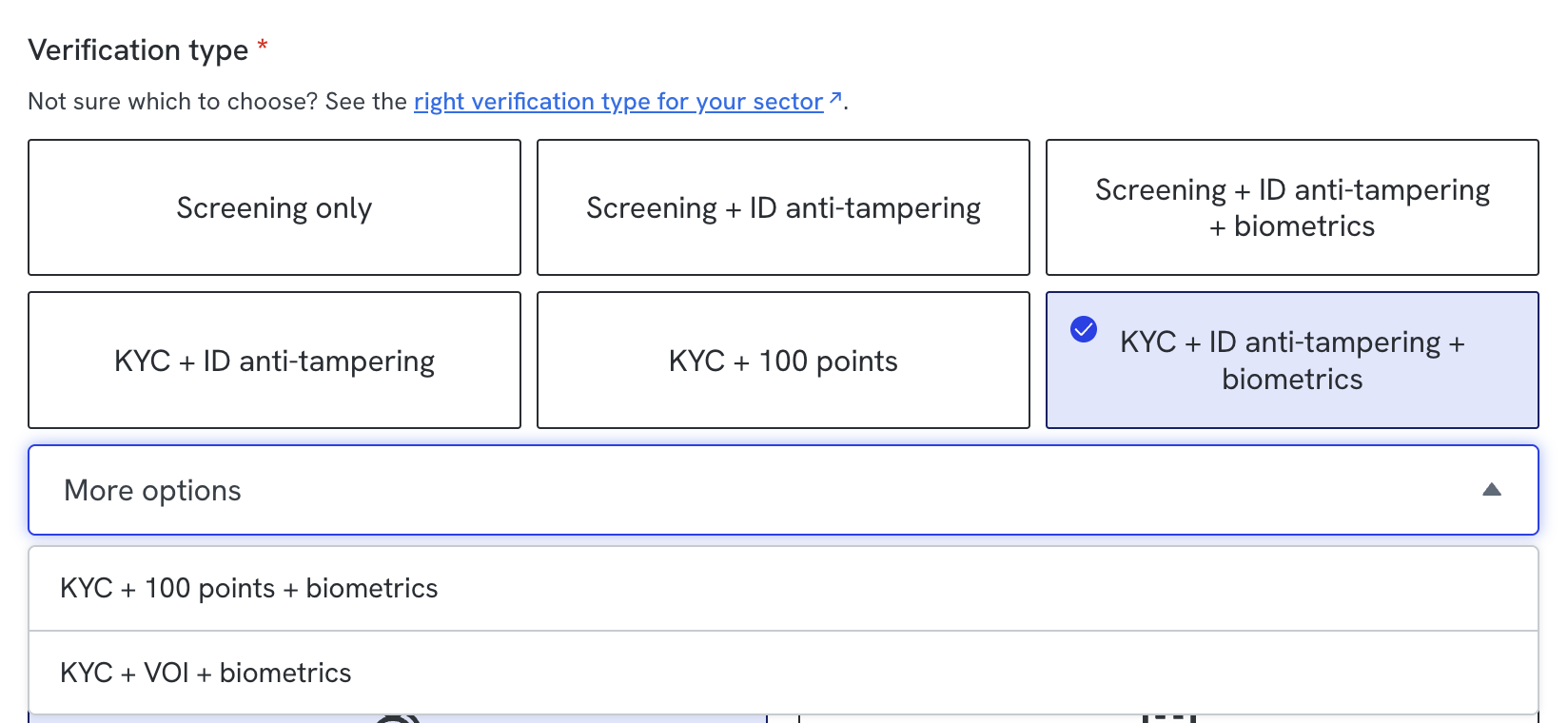
The 100-point standard comes as two verification types:
- KYC + ID anti-tampering + 100pts
- KYC + ID anti-tampering + biometrics + 100pts: the same, plus a short biometric video and face match.
Both types also verify the individual's name, date of birth and address, and screen them against PEP, sanctions and adverse media lists, as other KYC verification types do.
Availability: the 100-point verification types are available in Australia only.
You can also use either type to verify a client in person. See How to verify clients in person.
To use either type, ask your Customer Success Manager (CSM) to enable it for your account. Once it's enabled, select it from the Verification type dropdown when you set up the verification, the same way you choose any other verification type. See How to select and change a verification type.
Running a verification
- On the case, check that a 100-point verification type is selected.
- Send the EIV form to the individual as usual. See Sending ID and secure webforms.
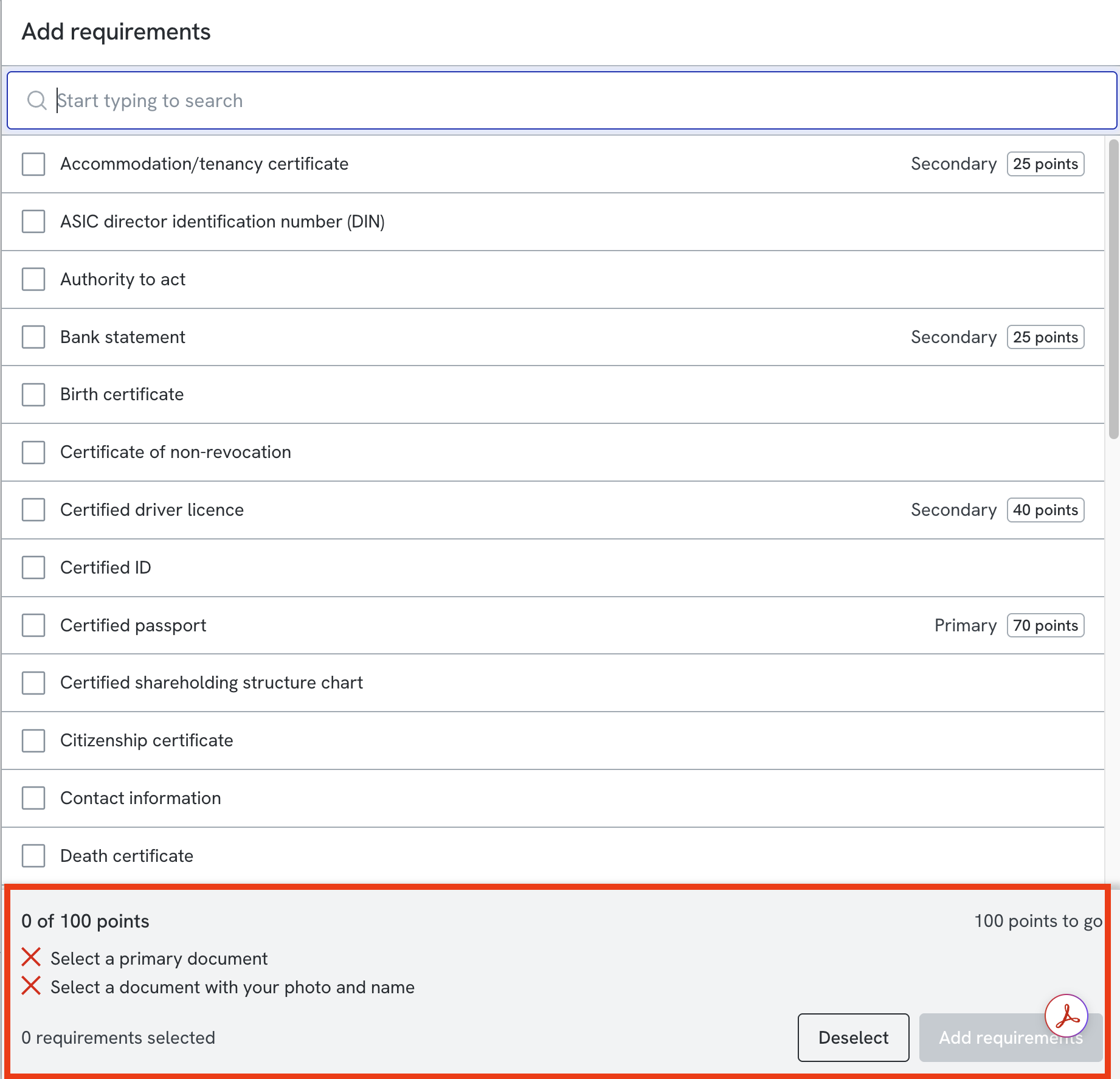
- The individual picks a combination of documents that reaches 100 points, captures each one, and submits the form. A running total on the form tells them when they have enough.
- Once the form is submitted, First AML runs the checks on each document.
- When the checks finish, the report appears automatically. No manual step is needed.
If a document is already on the case, with all its details filled in and still current, the individual isn't asked to capture it again. See "When identity has already been verified" below.
Reading the report
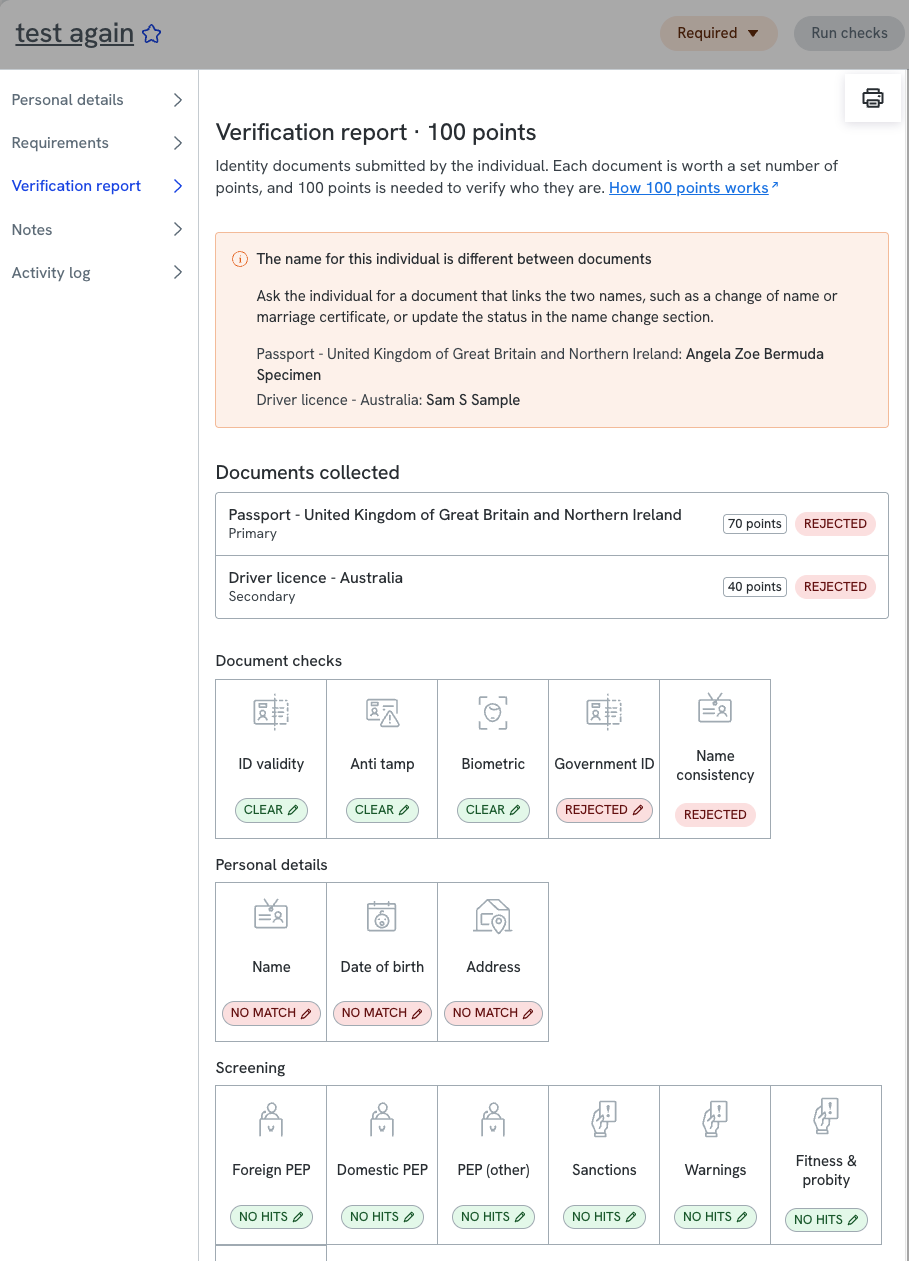
The report opens with the identity standard and shows:
- the required points, the points reached, and whether the documents include a primary document;
- each document, with its own check results and the points it contributes;
- a name consistency tile, showing whether the names on the documents match each other.
For general guidance on verification reports, including how to find and download a report, see Understanding individual verification reports.
When a name does not match
If the name on a document differs from the individual's legal name, for example after marriage or a change of name, the form flags it. The individual can then add a marriage certificate or change of name certificate that links the two names.
- If they add a certificate that links the names, the report shows the names as reconciled.
- If they continue without one, the report shows an unresolved name mismatch for your team to review.
When identity has already been verified
If First AML has already verified an individual's identity, on another case or earlier on this one, that verification is reused. The individual doesn't have to recapture what's already been done.
What to expect:
- The documents, checks and, where biometrics were used, the biometric video from the earlier verification are carried onto the new case.
- The form is still sent to the individual. If they were verified before with fewer documents than this verification type needs, for example with a single ID, the form is how they add the missing documents.
- In the form, a document that's already been collected is marked as already collected. For privacy, the individual can't see that document or the details captured from it, but it's clear they don't need to submit it again.